Landing in a new country and finding your sim card not working abroad is one of the quickest ways to turn travel plans upside down — no maps, no rideshare, no contact with family or reservations, and a higher risk of costly last‑minute fixes. It’s more than an annoyance; it can disrupt schedules and safety when you need connectivity most.
This guide walks you through simple, practical steps to diagnose and fix the problem, plus sensible next moves if a quick fix won’t do, so you can get back online and keep your trip on track without wasting time or money.
Quick Answer
If your SIM card is not working abroad, first rule out simple fixes: reset the phone radio, confirm the SIM is seated correctly, and check roaming/network settings. If those don’t work, verify the phone is unlocked and supports local bands, try the SIM in another unlocked phone, or switch to an eSIM/local SIM or portable hotspot while you contact your carrier for provisioning or a replacement.
- Restart the phone and toggle airplane mode to reset the radio.
- Ensure the SIM is fully inserted (use a SIM ejector) and inspect for dirt or damage.
- Try the SIM in another unlocked phone to see if the SIM or the device is the issue.
- Enable data roaming, check APN settings, and manually select a local network if needed.
- Confirm your phone is unlocked and supports destination frequency bands.
- Use an eSIM, buy a local prepaid SIM, or rent a portable Wi‑Fi as a quick fallback.
- Contact your home carrier for roaming activation, APN info, or a SIM reissue if problems persist.
Why This Happens
When a SIM card stops working abroad it’s rarely random — the failure usually sits in one of several layers: the physical SIM or tray, the phone’s software or locking, the home carrier’s account and provisioning, or the foreign network’s compatibility and rules. Understanding those layers makes the problem easier to diagnose and explains why a SIM that worked at home can appear invisible the moment you land.
- Phone locked to your home carrier — some devices are restricted to one operator and will refuse to register on foreign networks until officially unlocked.
- Roaming not provisioned or blocked on the account — carriers must enable roaming on your account and sometimes on the SIM itself; if that hasn’t happened the SIM won’t register abroad.
- No roaming agreement with the local operator — even if your SIM and phone are fine, your carrier might have no commercial relationship with networks in that country.
- Frequency and band incompatibility — phones and SIMs are useless on networks that run on bands your handset doesn’t support, especially in regions that use different LTE/5G bands.
- APN/provisioning mismatches — carrier-side settings that tell the network how to handle data and services can be missing or incorrect for international connections, blocking data or registration.
- Physical SIM problems — damage, dirt, a miscut SIM or a bad adapter/seat in the tray can interrupt the contact between chip and phone and cause nondetection.
- Account status or IMEI blocks — suspensions for unpaid bills, security holds, or IMEI blacklisting (reported lost/stolen) will prevent network access even with a valid SIM.
- Device software, firmware or region locks — buggy updates, carrier-branded firmware, or region-limited radios can prevent foreign-network registration or eSIM provisioning.
- Dual‑SIM or slot conflicts — software may prioritize one slot, or a faulty secondary slot can interfere with recognition of the other SIM.
- Local rules and registration requirements — some countries require SIM registration with ID or have temporary activation delays, so a freshly bought or foreign SIM may not work immediately.
- Temporary network outages or congestion — local maintenance, tower faults or overloaded networks at busy travel hubs can stop new SIMs from registering until service is restored.
Practical Solutions
If the quick checks didn’t fix the issue, use the following practical steps arranged by likely cause—network/account, handset/SIM, and alternative connectivity—so you can escalate efficiently while minimizing downtime.
Network and account fixes (free or carrier-assisted)
- Call your home carrier right away and ask them to confirm international roaming is enabled, your account is in good standing, and there are no blocks or security holds preventing registration abroad.
- Request that the carrier push or resend carrier settings/APN profiles to your phone; they can often refresh provisioning remotely so the SIM can register on foreign networks.
- If automatic network selection fails, have the carrier confirm the MCC/MNC provisioning for your account or provide the correct APN values to enter manually.
- Ask whether your plan requires an add‑on for the destination country or whether there are temporary roaming blacklists (e.g., fraud prevention) that they can clear.
Handset and SIM fixes (low-cost or free)
- Power down and remove the SIM; inspect under good light for scratches, corrosion, or dirt. Clean gently with a dry microfiber or a quick wipe of 70–90% isopropyl on the non‑gold parts (let dry completely).
- Check the SIM tray and any adapter for warping or misalignment—replace faulty adapters and avoid double-stacking adapters that bend contacts.
- If the phone supports eSIM, activate an eSIM profile and use data while you resolve the physical SIM problem; this bypasses a damaged SIM entirely.
- If available, try the SIM in a different unlocked phone to confirm whether the SIM or the handset is at fault—if the SIM works elsewhere, the phone likely needs a firmware/carrier-settings update or repair.
Alternative connectivity and product-based solutions
- Purchase an international or destination-specific eSIM data plan if your device supports it—instant activation and no physical SIM required.
- Buy a prepaid local SIM at the airport or a local shop for immediate voice/data access; it’s often the fastest fallback when roaming can’t be enabled quickly.
- Rent or buy a portable Wi‑Fi (MiFi) device for the group if multiple devices need reliable data without swapping SIMs.
- Keep a SIM ejector and a small adapter kit handy to swap sizes safely; these inexpensive tools cut troubleshooting time in the field.
- If you need your regular number reachable, consider a temporary call‑forwarding or virtual number service while using a local SIM or eSIM for data.
When to escalate or replace
- If carrier provisioning, APN pushes, and handset swaps fail, request a SIM reissue from your home carrier—many will mail an expedited replacement or provide a local outlet to pick one up.
- Use official carrier unlocking services if the phone is locked; an unlock often needs to be requested before travel but some carriers process it remotely if you’re able to provide purchase/account proof.
- As a last resort for persistent registration problems, perform a network-only factory reset or visit an authorized service center; document the troubleshooting steps and timestamps so carrier support can escalate more effectively.
Recommended Products
These five items cover the fastest fixes and best fallbacks when your SIM card isn’t working abroad: instant digital eSIM plans, destination-specific prepaid SIMs, a portable MiFi hotspot for shared data, a SIM ejector and adapter kit for hardware fiddles, and reputable phone-unlock services to ensure compatibility.
Airalo Global eSIM — 5GB (30 days)

Brand: Airalo
Airalo is a trusted, travel-focused eSIM provider offering instant digital delivery and easy activation via its app. The Global 5GB/30-day plan gives lightweight travelers reliable data across many countries without swapping physical SIMs, with competitive pricing and wide carrier partnerships—ideal for short international trips.
Orange Holiday Europe Prepaid SIM (20GB data, calls & SMS)
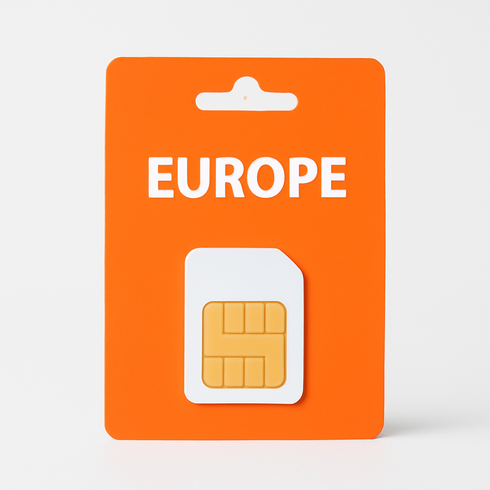
Brand: Orange
Trusted pan-European tourist SIM from a major carrier — offers generous data allowance, EU-wide coverage, included minutes/texts, easy activation and top-ups, and is commonly available at airports and online, making it convenient for short-term travelers who want reliable mobile data without roaming hassles.
GlocalMe G4 Pro 4G LTE Mobile Hotspot
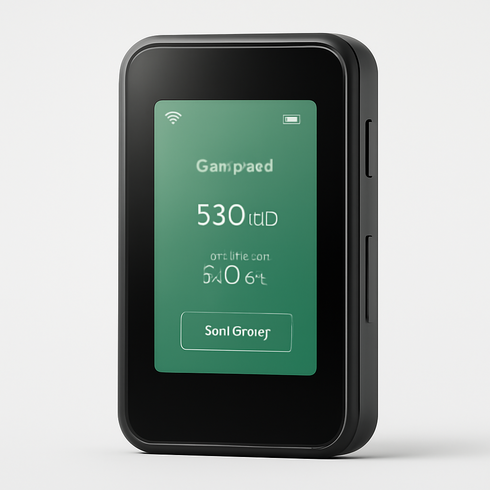
Brand: GlocalMe
Compact global MiFi that uses cloud SIM/virtual SIM technology for seamless coverage across 140+ countries, with flexible pay-as-you-go and bundled data plans ideal for short trips or longer stays. Trusted by travelers for reliable 4G connectivity to multiple devices simultaneously, easy app-based data top-ups, and luggage-friendly design.
UGREEN SIM Card Adapter Kit with Metal Ejector Tool (Nano/Micro/Standard)
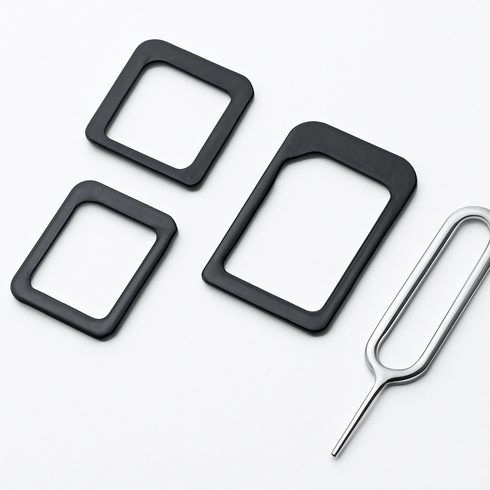
Brand: UGREEN
Compact travel-friendly kit that includes a sturdy metal SIM ejector pin plus adapters to convert nano, micro and standard SIM sizes. Trusted accessory brand, durable build, compatible with all major phones/tablets, and easy to store in a wallet or travel pouch—ideal for travelers who swap SIMs frequently.
DoctorSIM IMEI Unlock Service (International Phone Unlock)
Brand: DoctorSIM
DoctorSIM is a well-established, reputable third‑party IMEI unlocking service that supports a wide range of carriers and devices worldwide, making it ideal for travelers who need to use local SIMs abroad and avoid roaming fees. The service is simple to use (IMEI-based, no hardware modifications), offers clear turnaround estimates, and has a track record of successfully unlocking many iPhone and Android models from major carriers.
Comparison Table
| Product Type | Best Use | Main Advantage | Downside | Who Should Choose It |
|---|---|---|---|---|
| Airalo Global eSIM — 5GB (30 days) | Short trips or immediate connectivity where your phone supports eSIM profiles. | Instant activation without swapping a physical SIM; multiple plans available for different countries. | Requires eSIM-capable, unlocked device; some plans limit voice/SMS or tethering; refund/transfer policies vary. | Tech-savvy travelers and business users who need fast, temporary data and don’t want to buy local SIMs. |
| Orange Holiday Europe Prepaid SIM (20GB data, calls & SMS) | Longer stays or when you need a local phone number and the lowest per‑GB rates. | Typically the cheapest data and best local coverage for calls/texts with a physical local number. | Requires an unlocked phone and time to buy/activate; top‑up management and compatibility with bands can be an issue. | Budget travelers, expats, or anyone staying multiple weeks who needs reliable local service. |
| GlocalMe G4 Pro 4G LTE Mobile Hotspot | Group travel or when multiple devices need internet without swapping SIMs on each phone. | Provides shared data for several devices and works even with locked phones since the hotspot connects via Wi‑Fi. | Extra device to carry and charge; rental or hardware cost plus data plan can be pricier per GB. | Families, small groups, and remote workers who need a stable shared connection or want to avoid individual SIM setup. |
| UGREEN SIM Card Adapter Kit with Metal Ejector Tool (Nano/Micro/Standard) | When switching SIM sizes, testing a new SIM, or troubleshooting detection issues on the spot. | Low-cost kit that lets you safely eject, resize, or adapt SIM cards to fit different trays. | Won’t fix locked phones, damaged SIM chips, or provisioning/account issues; only a physical troubleshooting aid. | Frequent travelers and DIY troubleshooters who swap SIMs between devices or carry multiple SIM sizes. |
| DoctorSIM IMEI Unlock Service (International Phone Unlock) | Before travel if your phone is carrier‑locked or you expect to use many different foreign SIMs. | Permanently removes carrier restrictions (when legitimate), enabling all future local SIM or eSIM options. | Process can take time, may involve fees or carrier requirements, and shady third parties carry risk. | Frequent international travelers or anyone who needs guaranteed compatibility with local SIMs abroad. |
FAQ
Why is my SIM card not detected when I arrive abroad?
Common causes include a phone locked to your home carrier, the SIM or APN not provisioned for roaming, a damaged or dirty SIM, unsupported local frequency bands, or account restrictions such as suspensions or unpaid bills.
Can an eSIM fix the problem if my physical SIM isn’t detected?
Yes. An eSIM can bypass a faulty physical SIM and provide immediate local or global data plans—provided your phone supports eSIMs.
How do I know if my phone is unlocked for foreign SIMs?
Insert a different carrier’s physical SIM or activate an eSIM; if you can see and register on other networks, it’s unlocked. You can also confirm unlock status by contacting your carrier before travel.
Will enabling airplane mode help a SIM not being detected?
Yes. Toggling airplane mode forces the radio to reset and often resolves temporary detection or registration issues.
What is APN and can it prevent my SIM from working abroad?
APN (Access Point Name) configures your device’s mobile data connection; incorrect APN settings can stop mobile data even if voice/SMS still work. Update the APN per the carrier’s instructions.
When should I buy a local SIM or eSIM instead of troubleshooting?
Choose a local SIM or eSIM when your home carrier can’t enable roaming quickly, your phone is unlocked, or you need cheaper or more reliable data—it’s usually the faster, lower‑cost option.
Conclusion
If your sim card not working abroad, the most practical next step is to restore connectivity quickly with a local prepaid SIM, an international eSIM, or a portable MiFi so you can keep traveling and troubleshoot from an active connection; once online, contact your home carrier to sort out provisioning, unlocking, or a replacement SIM.