Nothing kills travel momentum like a dying phone halfway through a flight — no boarding pass access, no music, no maps, and no way to coordinate a transfer. With in-seat power varying wildly across airlines and aircraft, the question „can you charge your phone on a plane“ matters more than ever for peace of mind and keeping a trip on schedule.
This guide gives practical, airplane-ready advice on quick fixes at your seat, what types of power you might find, what to pack before you go, and the simple airline and safety rules that determine what actually works so you can avoid mid-flight panic.
Quick Answer
Yes — usually you can charge your phone on a plane, but availability and speed vary by aircraft and seat. If your battery’s dying mid-flight, prioritize power-saving settings and try the in-seat port or an AC outlet if present; if those fail, a carry-on power bank or a crew‑provided cable/outlet are the fastest fixes.
- Switch to airplane mode and enable low-power/battery-saver to stretch remaining charge.
- Check your cable and try a different USB port or the seat’s AC outlet if available.
- Use a carry-on power bank (don’t pack it in checked baggage) for reliable charging anywhere on board.
- Ask flight attendants—crew may know which rows have working power or carry spare cables.
- If you’re stuck at the gate, buy a short cable or power bank from an airport shop before departure.
Why This Happens
When your phone won’t charge or charges painfully slowly on a flight, it’s not usually one single fault — it’s the intersection of aircraft electrical design, airline policies, connector standards, and your phone’s own charging rules. Below are the specific, practical reasons this common travel headache occurs.
- Low-current USB ports: Many seat USB-A ports are wired to provide only trickle current (often 0.5–1A). That’s enough to slow-drip a phone but not to fast-charge modern devices, so the battery may still fall or only gain a few percent per hour.
- Power distribution and shared circuits: Seats often share power buses. If multiple passengers or the in-flight entertainment system draw power, the airline’s system limits output per port to prevent overload, resulting in throttled charging.
- No USB Power Delivery (PD) negotiation: Fast charging needs a handshake between charger and device to raise voltage (e.g., 9V, 12V). Older or basic in-seat ports don’t support PD, so phones remain stuck at the safe but slow 5V supply.
- Ports designed for data or entertainment systems: Some connectors on planes are tied to the IFE (in-flight entertainment) system and aren’t meant to power personal devices at full strength — they can be data-only or provide minimal power.
- Airline operational rules and power state: Crews or the aircraft’s power management may disable outlets during boarding, taxi, takeoff, or in certain phases of flight. Airlines can also disable power on some short-haul aircraft to save weight or maintenance costs.
- Hardware wear and poor contacts: Airport and airplane cables and ports get heavy use. Worn sockets or dirty pins increase resistance and cause intermittent charging or very low current flow.
- Cable and connector limitations: A damaged or low-quality USB cable can limit current regardless of the port’s capability. Some older cables aren’t wired for higher currents or USB-C PD signaling.
- Phone battery protection and temperature limits: Phones throttle charging if they detect high battery temperature, low temperature, or a failing battery. Cabin conditions and intensive background use (streaming, games) can push the phone into protective modes that reduce charging speed.
- Power converters and in-seat AC behavior: AC outlets (when present) may be switched, fused, or supply limited wattage. Some are rated only for low-power devices and include protection that trips if the draw is too high.
- Software and background drain outrunning charge: Heavy use (video streaming, GPS, sync) can consume power faster than a low-output port can replenish it, making it seem like charging isn’t working even though the phone is receiving some current.
In short, slow or failing in-flight charging is usually due to limited port output, safety and power-management choices made by airlines and manufacturers, worn or incompatible cables/ports, and your phone’s own protections — all combining to limit how much usable power reaches your battery mid-flight.
Practical Solutions
When your battery is bleeding out mid-flight, aim for fast, simple moves first, then fall back on gear. Below are easy, seat-level fixes and compact product strategies that work in tight cabins.
- Immediate free fixes — Toggle airplane mode, enable low-power mode, close background apps and dim the screen to stretch what’s left. Lock the screen when not using the phone and turn off unnecessary radios (Bluetooth/Wi‑Fi if not in use).
- Swap before you blame the port — Try a different cable and cycle the plug in and out. A loose connector or frayed wire is often the culprit; test a second port if one is available.
- Ask the crew politely — Flight attendants can tell you which rows reliably have power, may loan a cable, or confirm whether seat power is disabled for the leg of the journey. Keep the request brief and courteous.
- Position smartly — If charging from a seat-back or aisle outlet, create a gentle loop with the cable so passengers don’t trip it. Keep your device visible and off the floor to avoid damage.
- Prioritize essential functions — If you’ve only got a little charge left, close nonessential apps and switch to airplane mode except for essential uses like maps or boarding passes. Use text-only or offline versions of apps when possible.
- Carry a small cable kit — Bring one short (6–12 inch) cable and a multi-tip cable so you can charge from cramped outlets or lend a cord to a neighbor without tangling your bag.
- Use a compact power bank — A slim, airline-friendly power bank lets you bypass unreliable seat power. Keep it accessible in the seat pocket or personal item for quick swaps when the battery dips.
- Bring a USB-C PD option for faster top-ups — When you can, plug into a USB-C PD port or a PD-capable power bank for noticeably faster charging than legacy USB-A ports; the difference is most useful on medium and long flights.
- Pack a tiny GaN wall charger for layovers — If you have a short connection, a compact GaN charger recharges your power bank or phone quickly in an airport outlet without bulk.
- Borrow or barter cables politely — Fellow travelers often have spare cords; offer a small favor in return (watch their bag, share an adapter) to keep things friendly.
- When ports power but won’t charge — Switch cables, try another port or outlet, reboot the phone, and reduce power draw (screen off, background apps closed). If nothing works, the power bank is your guaranteed fallback.
- Pack redundancy, not weight — Two short, high-quality cables and one mid-sized power bank beat a drawer full of chargers. Keep things light and easy to reach so you can act fast when the battery drops.
Recommended Products
Bring a high-capacity PD power bank, a versatile multi-tip cable, a seat/aircraft power checker to confirm which seats have outlets, and a reliable airport-available charger or spare—together they solve most in-flight charging problems and last-minute emergencies.
Anker PowerCore 20000 PD
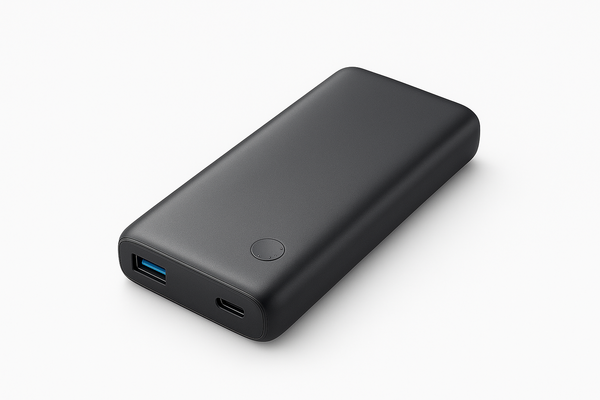
Brand: Anker
Trusted, travel-ready 20,000 mAh power bank offering USB-C Power Delivery fast charging (up to 18–20W) to quickly recharge phones and top up laptops/tablets. At ~72 Wh (20000 mAh nominal at 3.7V) it falls well under the 100 Wh airline limit, making it airline-friendly. Compact, durable design from a reputable brand, supports pass-through charging and recharges quickly via USB-C—ideal for frequent travelers who need reliable high-capacity PD power.
Anker 3-in-1 Multi Charging Cable (USB-C to Lightning / USB-C / USB-A)
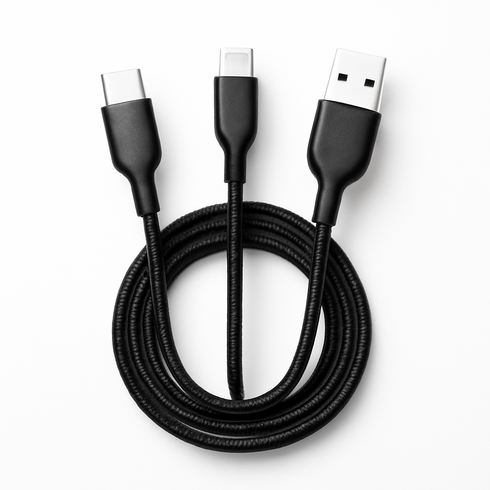
Brand: Anker
All-in-one, travel-friendly cable that replaces multiple cords—connects phones, tablets, and accessories via Lightning, USB-C, or USB-A tips; durable braided build, tangle-resistant, and supports fast charging and data transfer, making it ideal for travelers who need one cable for all devices.
SeatGuru
Brand: Tripadvisor
SeatGuru provides detailed, aircraft-specific seat maps that indicate which seats have power outlets and in-seat amenities. It’s widely used by travelers to compare seat layouts and verify power/USB availability before booking, with a searchable database for airlines and aircraft types and a mobile-friendly interface.
Anker PowerCore 10000 PD Redux
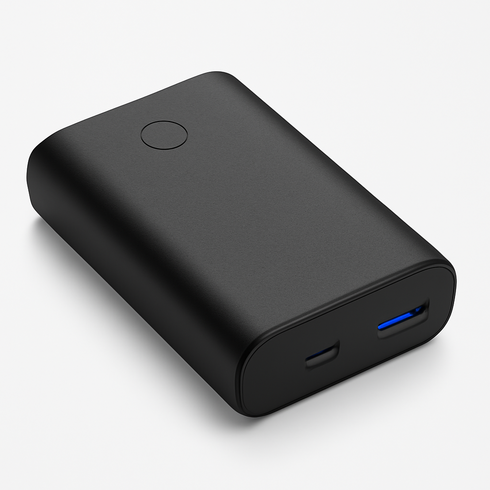
Brand: Anker
A compact, airline-friendly 10000mAh USB-C Power Delivery portable charger that delivers up to 18W fast charging in a pocket-sized package. Trusted brand, reliable performance for phones, tablets and other USB-C devices, and commonly stocked for same-day purchase at airport electronics shops and online retailers — ideal for travelers needing last-minute power.
Comparison Table
| Product Type | Best Use | Main Advantage | Downside | Who Should Choose It |
|---|---|---|---|---|
| Anker PowerCore 20000 PD | Keeping phones and small devices charged during flights when seat power is absent or unreliable | High-capacity battery and USB-C PD support for faster, multiple charges | Must be carried in carry-on, adds weight and bulk; subject to airline watt‑hour limits | Long-haul travelers, heavy device users, and anyone sitting in seats without guaranteed outlets |
| Anker 3-in-1 Multi Charging Cable (USB-C to Lightning / USB-C / USB-A) | Connecting different devices to in-seat ports or a power bank without swapping cables | One cable handles Lightning, USB-C and USB-A — saves space and fuss in tight seats | Multi-tip cables can be slower than dedicated single-purpose cables and occasionally less durable | Minimalist packers, families sharing chargers, and frequent travelers with multiple device types |
| SeatGuru | Researching aircraft/seat amenities before booking to secure a seat with reliable power | Prevents surprises by showing which seats/aircraft commonly have USB or AC outlets | Seat and amenity info can change by aircraft or airline configuration; not 100% current | People who want to avoid bringing extra gear by booking seats with known power access |
FAQ
Can you charge your phone on a plane?
Usually yes — many aircraft have USB ports or AC outlets, but availability and charging speed vary by airline, aircraft type and seat. Carry a power bank as a backup.
Are power banks allowed on planes?
Yes, power banks are allowed in carry-on baggage only. Most airlines permit devices up to 100Wh without approval; units between 100Wh and 160Wh may require airline approval. Do not pack them in checked luggage.
Will the seat USB port fast-charge my phone?
Rarely. Most built-in USB-A ports supply low current (often 0.5–1A). Faster charging usually requires a USB-C PD port or an AC outlet, which aren’t guaranteed on every seat.
What if the in-seat power port doesn’t work?
Try a different port and a different cable, switch your phone to airplane/low-power mode to conserve energy, politely ask the crew for help, or use your power bank if you have one.
How big a power bank do I need for a flight?
For most trips a 10,000–20,000mAh bank (roughly 37–74Wh) is ideal — enough for one to three full phone charges and generally within airline limits for carry-on.
Can I charge a laptop on a plane?
Only if the seat offers an AC outlet or a USB-C PD port with sufficient wattage. Standard seat USB ports are usually too weak to charge laptops effectively.
Conclusion
Your next move: pack a charged, airline-compliant power bank and a short, versatile cable in your carry-on, confirm seat power availability before you book, and use airplane/low-power modes in flight to stretch what’s left—those three simple steps will make sure „can you charge your phone on a plane“ stops being a worry and stays a solved problem.